



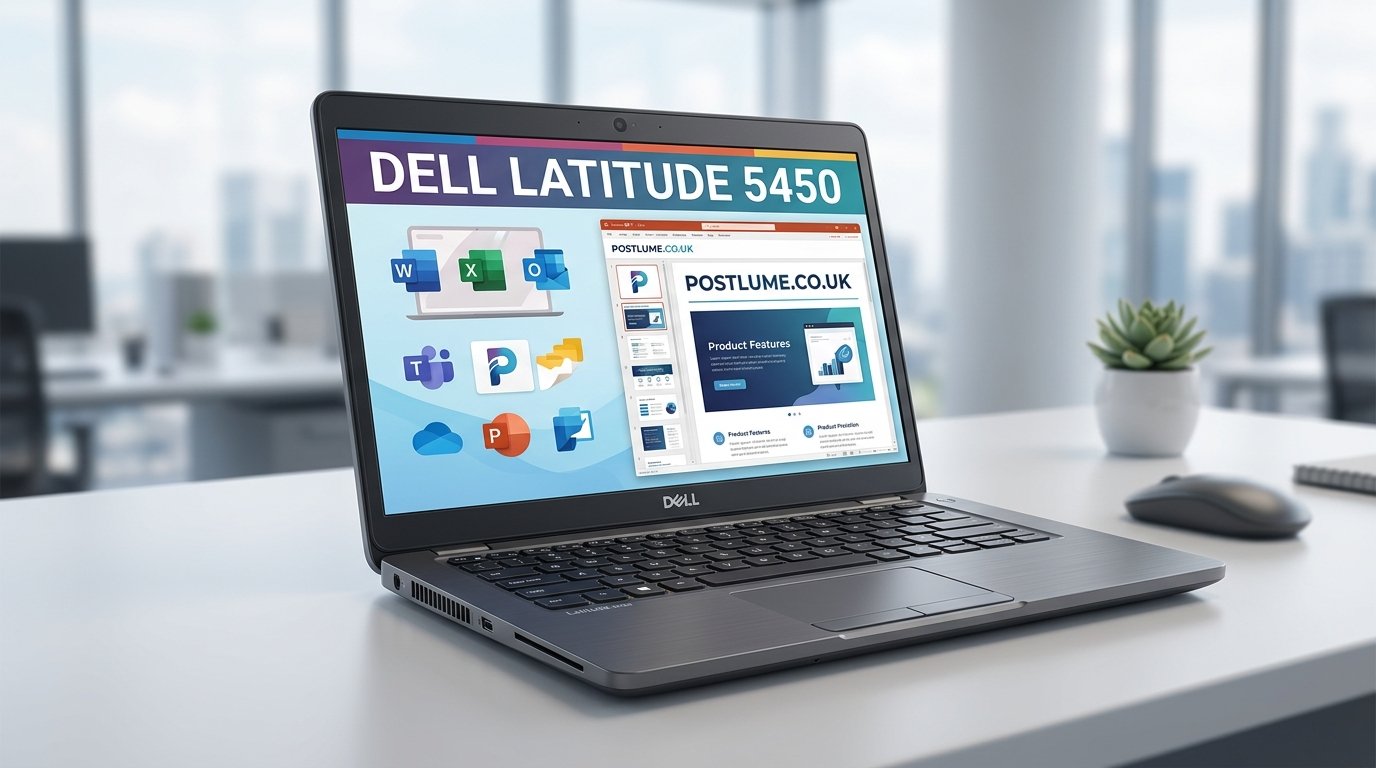
The Dell Latitude 5450 is a modern business laptop designed for professionals, students, remote workers, and enterprise users who need strong performance, security, portability, and reliability. Positioned within Dell’s popular Latitude lineup, this 14-inch laptop focuses on productivity and professional workflows rather than gaming-focused performance.
Dell introduced updated Latitude dell latitude 5450 models with Intel Core Ultra processors, improved AI features, better power efficiency, and enhanced connectivity options. The laptop is widely used in corporate environments because of its durability, upgradeability, and enterprise management capabilities.
The Latitude series has long been recognized as Dell’s premium business-focused laptop family. The Latitude 5450 continues that reputation by offering strong everyday performance, long battery life, and professional-grade security tools suitable for office work, remote collaboration, and multitasking.
Dell Latitude 5450 Design and Build Quality
The Dell Latitude 5450 features a clean and professional design intended for business environments. The laptop uses a combination of aluminum and high-quality plastic materials, helping maintain durability while keeping the weight relatively light for daily portability. Most configurations weigh around 1.4 kilograms, making the system easy to carry during travel or office commuting.
Dell designed the Latitude 5450 with practicality in mind rather than flashy aesthetics. The chassis includes a sturdy hinge, slim bezels, and a compact footprint suitable for modern workspaces. Many enterprise users appreciate the understated appearance because it fits naturally into professional settings.
The laptop also supports a 180-degree hinge, which improves flexibility during meetings, presentations, and collaborative work environments. Build quality remains one of the strongest advantages of the Latitude series overall.
Display Quality and Screen Features
The Dell Latitude 5450 includes several 14-inch Full HD display options depending on the selected configuration. Users can choose between touch and non-touch IPS panels with different brightness and color coverage levels. Dell offers panels with up to 100 percent sRGB coverage in higher-end variants, which improves color accuracy for creative tasks and media consumption.
Most standard configurations use a 1920 x 1080 resolution with a 60Hz refresh rate. While the laptop is not aimed at gamers or high-end content creators, the display quality is more than sufficient for office productivity, web browsing, video conferencing, and general multimedia use.
The anti-glare coating also helps reduce reflections during work in bright environments. Many business users prefer matte displays because they improve visibility under office lighting and during travel.
Performance and Intel Core Ultra Processors
One of the biggest upgrades in the latest Dell Latitude 5450 models is the inclusion of Intel Core Ultra processors. These chips improve multitasking efficiency, AI acceleration, and battery optimization while delivering stronger integrated graphics performance than previous generations.
Configurations range from Intel Core Ultra 5 to Core Ultra 7 processors with multiple core and thread combinations. These processors are designed to handle productivity software, video conferencing, virtualization, office applications, coding, business analytics, and light creative workloads efficiently.
Some higher-end models also include NVIDIA GeForce RTX 2050 discrete graphics, which improves performance for design applications, GPU acceleration, and light content creation. However, most users purchasing the Latitude 5450 prioritize productivity and enterprise reliability over gaming capabilities.
Memory, Storage, and Upgrade Options
The Dell Latitude 5450 supports DDR5 memory with configurations ranging from 8GB to 64GB depending on the model and upgrade setup. Many configurations include user-upgradeable RAM slots, which is an important advantage for long-term flexibility.
Storage options typically include PCIe Gen 4 NVMe SSDs ranging from 256GB to 2TB. Fast solid-state storage significantly improves boot times, application loading, and overall responsiveness during daily work.
Business users often value upgradeability because it extends device lifespan and reduces long-term replacement costs. Unlike many ultrathin consumer laptops with soldered components, the Latitude 5450 retains practical serviceability features that appeal to enterprise IT departments.
Connectivity and Ports for Professional Work
Connectivity remains one of the strongest aspects of the Dell Latitude 5450. The laptop includes Thunderbolt 4 ports, USB-A ports, HDMI output, Ethernet connectivity, and optional smart card readers depending on the selected model.
Modern business environments rely heavily on docking stations, external monitors, wired networking, and USB accessories. Dell designed the Latitude 5450 to integrate smoothly into office ecosystems without requiring excessive adapters.
Wireless connectivity is also strong, with Wi-Fi 6E and Bluetooth 5.3 support available in many configurations. Some enterprise models even support optional 4G LTE and 5G mobile connectivity for professionals working remotely or traveling frequently.
Battery Life and Daily Productivity Experience
Battery efficiency is a major priority in business laptops, and the Latitude 5450 performs well in this category. Dell offers 42Wh and 54Wh battery options with ExpressCharge support for faster charging. Some Dell listings report battery life exceeding 13 hours depending on configuration and usage patterns.
Real-world battery performance varies depending on screen brightness, applications, processor selection, and wireless usage. However, most professional users can comfortably complete a full workday on moderate productivity workloads.
The laptop also supports USB-C charging, which improves convenience for travelers and hybrid workers. USB-C charging compatibility allows users to reduce the number of chargers and accessories they need to carry.
Dell Latitude 5450 for Business, Students, and Programming
The Dell Latitude 5450 is particularly well suited for office productivity, business management, software development, and educational use. The combination of Intel Core Ultra processors, strong keyboard quality, enterprise security features, and reliable thermal performance makes the laptop attractive for professional workflows.
Many Reddit users and Linux enthusiasts have also discussed the Latitude 5450 positively for programming and Linux compatibility. Several community discussions mention that Dell officially offers Ubuntu support on selected Latitude models, improving Linux driver compatibility and enterprise deployment flexibility.
Students and developers often appreciate the laptop’s balance between portability and performance. The 14-inch form factor remains practical for both classroom use and remote work setups.
Common Issues and User Feedback
Although the Dell Latitude 5450 receives generally positive feedback, some users have reported occasional issues involving graphics drivers, webcam detection, and Windows 11 responsiveness. Reddit discussions describe intermittent display artifacts during video playback and occasional webcam recognition problems in enterprise deployments.
Several users also discussed minor Windows 11 interface sluggishness, especially during startup or system animations. In many cases, updating drivers and firmware improved performance stability.
These reports are relatively common within large enterprise environments where thousands of systems operate simultaneously. Most issues appear manageable through BIOS updates, driver maintenance, and enterprise IT support practices.
Security Features and Enterprise Management
Dell designed the Latitude 5450 specifically for enterprise deployment, which means security features are heavily emphasized. Many configurations support fingerprint readers, IR cameras for facial recognition, TPM security modules, smart card readers, and Intel vPro management technologies.
Enterprise IT teams value these features because they improve device management, remote diagnostics, encryption support, and identity protection. Businesses handling sensitive data often prioritize laptops with advanced hardware-level security.
Dell Optimizer software also adds AI-based workload optimization features that help improve battery management, conferencing performance, and system responsiveness during professional tasks.
Final Thoughts on the Dell Latitude 5450
The Dell Latitude 5450 stands out as a reliable and versatile business laptop that balances portability, performance, security, and enterprise functionality. With Intel Core Ultra processors, upgradeable memory, strong connectivity options, and long battery life, the system is well suited for professionals, students, developers, and remote workers.
Its professional design, solid build quality, and enterprise management features make it especially appealing for corporate environments. While some users have reported isolated software and driver issues, overall feedback suggests that the Latitude 5450 delivers dependable performance for productivity-focused workloads.
As hybrid work and mobile productivity continue evolving, laptops like the Dell Latitude 5450 remain important tools for users seeking durability, flexibility, and long-term professional value.
